On this page
Table of Contents
If you want a full understanding of how home electrical systems work, start with the safety overview: 🔹 “Home Electrical Safety Guide: Panels, Breakers, Grounding, AFCI/GFCI, and Common Faults”
Once you know the big picture, this article becomes much easier to follow.
Quick answer
Smart home energy management means using data + simple tools to understand how your home actually uses electricity, then:
- Fix obvious safety issues (hot outlets, frequent breaker trips)
- Start with one or two smart devices like a smart plug or smart lights
- Spread out heavy loads (AC, dryer, oven) instead of running them all at once
- Use an app or your utility’s data to see which habits actually lower your bill
You don’t need a million gadgets or a luxury “smart mansion”.
You just need a clear picture of where your power goes, a few smart habits, and a simple smart home energy management plan you can actually stick to.
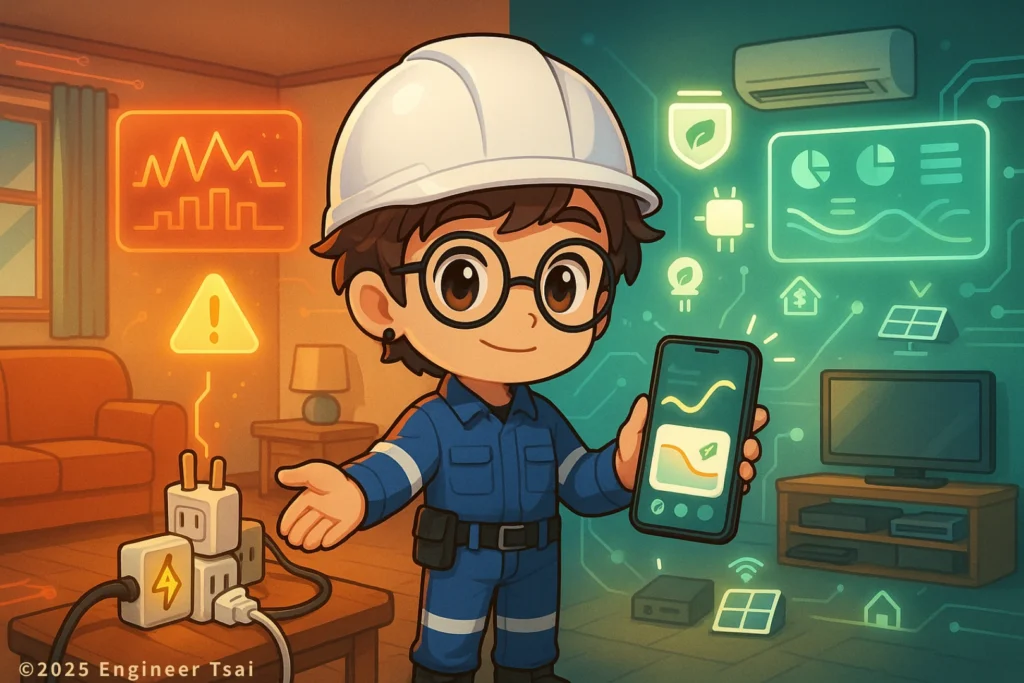
Watch this first: 60 seconds to see what “smart energy management” looks like
Ever feel like this?
- Your electric bill gets higher every year
- Every outlet has a power strip, every power strip has more stuff plugged in
- You suspect something is wasting a lot of power, but you’re not sure what
- You hear “just turn off the lights” but that doesn’t feel like a real plan
This short video walks you through the core idea of smart home energy management in about 60 seconds:
how your daily habits, your appliances, and a few smart devices work together to make your home “smarter” about power use.
👉 Watch it first, then come back to the text below — everything will feel more concrete.
Why smart home energy management matters for your household
Why should a regular family in the U.S. even care about “smart energy management”?
Most households share the same problems
- Air conditioning runs constantly in summer, and bills spike hard
- You keep buying more devices — TVs, game consoles, chargers, smart speakers — and power strips start daisy-chaining
- In older homes, big appliances can make lights dim, breakers trip, or outlets feel warm
- “Saving power” often sounds like: “sweat through the summer without AC” — which nobody actually wants
That’s exactly why smart home energy management is becoming such an important topic for regular U.S. households, not just tech enthusiasts.
Smart home energy management is simply a more systematic way to deal with all of this.
Instead of guessing, you use:
- Readable data (kWh, power curves, daily usage)
- Easy-to-use devices (smart plugs, smart thermostat, smart lighting)
- Small habit changes (timers, scenes, shifting heavy loads)
So you can save energy, save money, improve safety, and keep comfort — all at the same time.
You’re not trying to become an energy engineer.
You’re just giving your home a “power dashboard” instead of flying blind.
1. Step one: Understand how electricity actually flows through your home
Before you buy any smart gadget, it helps to have a simple mental picture of how your home’s electrical system works — because every smart home energy management decision builds on that wiring and those loads.
1.1 The three main pieces of a home electrical system
You can think of your home’s power system as three layers:
- The service entrance and breaker panel
Your utility brings power to your house. It first lands at your service panel (breaker panel).
From there, individual breakers feed different circuits — kitchen, bedrooms, laundry, AC, etc. - The wiring hidden in the walls
These wires carry electricity from the panel to receptacles (outlets), light fixtures, hard-wired appliances, and special 240 V circuits (for things like dryers or electric ranges). - The devices that actually “eat” electricity
This is where the energy goes:
AC units, refrigerators, electric water heaters, ovens, washers, dryers, space heaters, dehumidifiers, servers/PCs, and so on.
If any of these three layers is poorly designed or has aged badly, it will show up as:
- Higher-than-expected bills
- Breakers tripping often
- Warm or discolored outlets, strange smells, or buzzing sounds
- The feeling of “I don’t even know where all this power is going”
1.2 Get a rough feel for your home’s loads (no need to be perfect)
You don’t need to calculate every watt. Start with three simple buckets:
- High-load appliances
- Central AC, mini-split AC, electric water heater, electric dryer, oven, space heaters
- These can draw thousands of watts when running
- Using several at once can stress both your bill and your wiring
- Medium-load appliances
- Refrigerator, dehumidifier, washing machine, desktop computer + monitor, gaming PC
- They may not spike like AC, but they run long hours, so efficiency and settings matter
- Low-load devices
- LED bulbs, phone chargers, speakers, small fans, night lights
- One by itself is nothing — but 20 of them on all day can add up
Add one more concept:
- Peak vs. off-peak usage
If your utility offers time-of-use (TOU) rates, running a dryer, dishwasher, or EV charger during peak hours can be much more expensive than at night.
Even if you’re on a flat rate, spreading out heavy loads can reduce stress on your system and make nuisance trips less likely.
The goal here is not perfection. It’s just:
“I roughly know which circuits and devices are the real players,
and which ones are small but always-on background load.”
2. Step two: Start with one or two smart devices — don’t buy the whole catalog
Instead of filling your cart with every smart gadget on Amazon, it’s usually smarter to build your smart home energy management system step by step:
- Pick one or two devices that give you visible results
- Use them to learn how your home behaves
- Only then decide what’s worth adding next
Here are three common starting points.
2.1 Smart plugs: finally see “who’s actually eating power”
What they do:
- Let you turn an outlet on/off from an app or voice assistant
- Show real-time and cumulative energy use for whatever’s plugged in
- Turn “I think this is wasting power” into “this used 2.5 kWh today”
Practical examples:
- Plug your TV + soundbar + game console into a single smart plug
- Look at how much energy they use while you’re playing vs. while everything is on standby
- Decide if you want a schedule like “off at 1 a.m., back on at 5 p.m. on weekdays”
One decent smart plug on the right device group can teach you more about your home in a week than a whole year of guessing.
2.2 Smart meter data or home energy monitors: watch the big picture
Depending on where you live, you might have access to:
- Your utility’s online portal with daily or hourly usage graphs
- A smart meter that exports data
- A third-party home energy monitor that clips onto your main wires in the panel
With these, you can:
- See which hours of the day spike the most (for many homes, that’s 5–10 p.m.)
- See how much your AC actually shifts the curve when it kicks on
- Compare “before and after” when you change a habit for a week
You don’t need to stare at charts all day. Just check after you make a change and confirm:
“Did the curve flatten or not?”
2.3 Smart lighting: the easiest entry point
What it can do:
- Dim lights, change color temperature
- Turn off automatically on a schedule
- Use motion sensors or door sensors to switch lights on/off
Real-world uses:
- Hallway, bathroom, or entry lights that turn on when someone walks by and turn off a few minutes later
- Kids’ rooms or bedrooms where lights dim automatically at bedtime, and stay at a safe, low level at night
You probably won’t retire early from lighting savings alone.
But smart lighting is a painless way to build “automation habits” for your family.
3. Three energy-saving tactics that don’t ruin your comfort
If you want some quick wins before diving deep, start here.
3.1 Replace the worst old appliances
Priorities, in most U.S. homes:
- Old AC units (especially non-inverter window units or very old central systems)
- Old refrigerators (that run constantly)
- Old electric water heaters
Look for:
- ENERGY STAR or similar high-efficiency ratings
- Inverter or variable-speed models where possible
In real life, a modern high-efficiency AC or fridge can:
- Use far less energy
- Keep temperatures more stable
- Feel more comfortable, not less
3.2 Cut “always-on” standby loads
Watch out for:
- Old stereo receivers that are always in standby
- Extra TVs that almost nobody watches
- Game consoles, streaming boxes, network gear in guest rooms or offices that sit idle 90% of the time
Simple moves:
- Use power strips with switches or smart plugs
- Group devices that are usually used together (TV + soundbar + console) into one controllable plug
- Schedule them to fully shut off overnight and when everyone’s at work or school
The goal is not to unplug everything every time.
It’s to make “off when nobody’s home or awake” the default — automatically.
3.3 Don’t stack all your heavy loads at the same time
Whenever possible, avoid doing things like:
- Running AC at full blast while the oven, dryer, and space heater are all on
- Running washer + dryer + dishwasher at peak evening hours if your rate plan penalizes that
Spread them out a bit:
- Shift laundry a little later (while still respecting noise rules and neighbors)
- Run the dishwasher with a delayed start so it washes after you go to bed
Benefits:
- Lower chance of nuisance breaker trips
- Less stress on your wiring and panel
- In some areas, lower bills if you’re on a time-of-use plan
4. Before you add more smart gear: fix safety issues first
If your home already has warning signs like:
- Breakers tripping often
- Outlets that feel hot or smell like burnt plastic
- Lights dimming noticeably when big appliances start
Then your priority should be safety first, smart gadgets second.
4.1 Get your panel and wiring checked
Hire a licensed electrician to look at:
- Whether breaker sizes match the circuits they’re protecting
- Any signs of overheating, burning, or melted insulation in the panel
- Old aluminum wiring or sketchy splices in older homes
4.2 Make sure protection devices actually work
You should have:
- Circuit breakers (overload/short-circuit protection)
- They’re supposed to trip when a circuit pulls too much current
- GFCI / RCD protection in bathrooms, kitchens, outdoor outlets, and other wet areas
- These trip when current leaks where it shouldn’t, reducing shock risk
- In many areas, AFCI protection for certain circuits, to detect dangerous arcing
If you’re not sure what you have or how to test it, ask your electrician to:
- Do a basic panel health check
- Show you how to use the “test” and “reset” buttons on GFCI devices safely
4.3 Avoid “fixing” frequent trips by upsizing breakers
If your breaker trips often, it’s usually telling you:
- The circuit is overloaded
- A device draws a big inrush current when starting
- There’s a wiring or connection issue
Simply swapping in a larger breaker can turn:
“Trip now, stay safe”
into:
“Let the wires overheat and the outlet melt first.”
Always investigate the cause and let a professional decide whether to split circuits, add a dedicated circuit, or simply change how loads are distributed.
5. When solar and home battery systems start to make sense
You don’t have to install solar panels or a Tesla-style home battery to “qualify” as doing smart home energy management.
But for some homes, they are a logical next step.
You might consider them if:
- You own a single-family home with decent roof space
- Your electric bill is consistently high
- You plan to stay in the home for many years
5.1 Residential solar
Possible benefits:
- Lower long-term electric bills
- More predictable energy costs
- In some regions, credit for sending excess energy back to the grid (depending on local policy)
Things to consider:
- Roof age, structure, and potential leak risk
- Local permitting, utility interconnection rules, and inspections
- Up-front cost vs. payback period
5.2 Home battery storage
What it’s good for:
- Storing excess solar energy for use at night
- Providing backup power during outages for key loads like AC, lights, fridge, medical equipment
Because batteries involve more safety and code considerations, it’s important to work with experienced, licensed installers who understand your local rules and grid.
6. Use apps and data to let your habits evolve
A smart home is not really about the hardware.
It’s about how hardware and habits work together so your smart home energy management setup actually fits real life.
6.1 What an energy management app can do for you
Depending on your setup, an app (from your utility, a smart monitor, or your smart home ecosystem) can:
- Show current whole-home power draw in watts
- Show daily / hourly usage charts so you can spot patterns
- Let you set schedules and limits for specific devices or rooms
- Alert you when usage suddenly spikes or a device behaves oddly
6.2 Common U.S. “starter combos”
A few combinations that work well together:
- Smart thermostat + smart AC controls
- Smart plugs + app for media centers, office gear, or “always-on” corners
- Smart lighting + scenes like “Away”, “Goodnight”, or “Movie time”
- A home energy monitor or smart meter data you check weekly after making changes
You don’t need the fanciest automation.
The real win is:
Choosing a small set of tools you’ll actually use every day,
that make it easy to see what’s happening and adjust your habits over time.
FAQ: Smart home energy management, in plain language
Q1. What exactly is “smart home energy management”? How is it different from just trying to save power?
Smart home energy management is not just “turn off the lights and suffer through the summer”.
It means using things like smart plugs, smart meters, and energy apps to see your real usage, then adjusting equipment and habits so you can improve:
Safety
Comfort
Energy use
Monthly bills
In short: you’re using data + tools to make better decisions, instead of guessing.
Q2. My house is older and I’m worried about the wiring. Should I still bother with smart devices?
You can — but the order matters:
Safety first, then smart gear.
If you have older wiring, missing grounding, or frequent issues, start by:
Having a licensed electrician check your panel, connections, and key circuits
Fixing any obvious overheating, loose connections, or undersized wiring
Smart devices should not be used to hide existing safety problems.
Q3. Don’t smart plugs and smart monitors also use power? Is it worth it?
Yes, most smart devices use a small amount of standby power (often around 1 W or so).
But if they help you find:
One or two very inefficient appliances, or
A chunk of always-on standby load you can shut off automatically
…the savings usually outweigh the devices’ own usage by a large margin.
Q4. Do I need a smart meter or a full, expensive system to “do this properly”?
No.
You can absolutely start with:
One good smart plug
A couple of smart bulbs in key locations
Then, if your home and budget justify it, you can add:
A whole-home energy monitor
More advanced scenes and automations
Eventually, solar and storage if they make sense financially where you live
Q5. My breaker trips all the time. Can I just swap it for a larger one?
That’s almost always a bad idea.
Frequent trips are your system telling you that:
A circuit is overloaded
A device has a large startup current
Wiring, outlets, or connections may be undersized or failing
Putting in a bigger breaker can let wires overheat before anything shuts off — a serious fire risk.
Call a licensed electrician to check loads, wiring, and whether circuits should be split or reconfigured.
Q6. I’m on a budget. If I can only do one thing, what should I start with?
If you can only pick one move, I’d suggest:
Buy one reliable smart plug and put it on the device group you suspect wastes the most energy.
For example:
Living room TV + soundbar + console
Home office PC + monitor + speakers
A rarely used but always plugged-in appliance
Track its usage for a week.
Once you know “this setup used this many kWh,” you can decide whether to:
Change how you use it
Put it on a schedule
Replace it with something more efficient
This one step often has the best cost-to-insight ratio.
Conclusion: Smart energy management isn’t just for luxury homes
At this point, you should be able to check a few boxes for your own smart home energy management plan:
- You roughly know which appliances are your heavy hitters
- You know you can start with smart plugs and smart lighting, not a full-blown “smart mansion”
- You understand that electrical safety comes before gadgets
- You see solar and storage as advanced options, not mandatory upgrades
If you’re ready to start, try this:
- Pick one room or one device group, and put it on a smart plug to see real usage
- Turn one “no one really cares” standby load into something that shuts off automatically
- Talk with your household about staggering heavy loads instead of stacking them
- If you have an older home or concerning symptoms, schedule a professional electrical checkup
Put together, these steps become your own home energy action plan — a simple smart home energy management roadmap tailored to your house, your habits, and your budget.
Further reading and practical next steps
If you want to go deeper and understand the “why” behind all this, here are good next topics to cover on your learning path:
Voltage, current, and power — what actually drives your electric bill
Learn how volts, amps, and watts fit together so you can read nameplates and specs without guessing.
Conductors, insulation, and grounding — how wiring keeps you safe
Understand why old wiring, damaged insulation, and missing ground connections increase risk, and what “good wiring” looks like.
Designing basic home circuits to avoid overloads (coming soon)
Circuits, dedicated breakers for big loads, and sensible outlet layout — how a well-designed home stays safer and feels more stable.
A practical guide to smart plugs, lights, and energy monitors (coming soon)
Real-world use cases, what specs matter, and how to avoid buying gear that you’ll never actually use.
U.S. Department of Energy – Energy Saver 101: Home Energy Audits
See how professionals think about whole-home energy use, which inspections they do first, and how audits can uncover the biggest opportunities to improve comfort and cut waste.
ENERGY STAR – official U.S. efficiency program
Browse efficient appliances and learn what the ENERGY STAR label means for real-world power use, so you can match your smart home energy management ideas with better equipment choices.