Where to start: PDF, Excel workbook and quick-start guide for ongoing personal records. Start with a copy of the blank workbook; keep the fictional Example separate. This optional editable add-on differs from the First-Year Kit‘s printable start plan and tool-budget CSV files.
How it compares
| Option | Published price | Published scope | What this product adds |
|---|---|---|---|
| TDLR experience verification form | Free public form | Official experience documentation with supervisor verification. | Start with the PDF, Excel workbook and quick-start guide. |
| SparkShift | Free download; in-app purchases | Mobile on-the-job logging and electrical calculators. | Copy a blank workbook to keep your own personal work record. |
| Ella Presley Timesheet Log Book | US$6.72 paperback | A general printed daily and weekly time log. | Turn a weekly review into a request for a specific learning task. |
Competitor details checked 2026-11-12 from their public pages.
- Start with the PDF, Excel workbook and quick-start guide.
- Copy a blank workbook to keep your own personal work record.
- Turn a weekly review into a request for a specific learning task.
- Compare your entry with a worked example.
- Use six offline practice or review items with a retry queue.
How does this compare with TDLR experience verification form?
Official experience documentation with supervisor verification. Start with the PDF, Excel workbook and quick-start guide. Copy a blank workbook to keep your own personal work record.
Offline companion added at the same price: 6 practice or review items with explanations, a retry queue and exportable private notes. Extract the ZIP and open START-HERE.html on a computer. All existing downloads remain included.
See pages from the actual download
These are excerpts of existing downloadable material. The source page is labelled below each image. Click an image to enlarge it. The full download is unchanged.
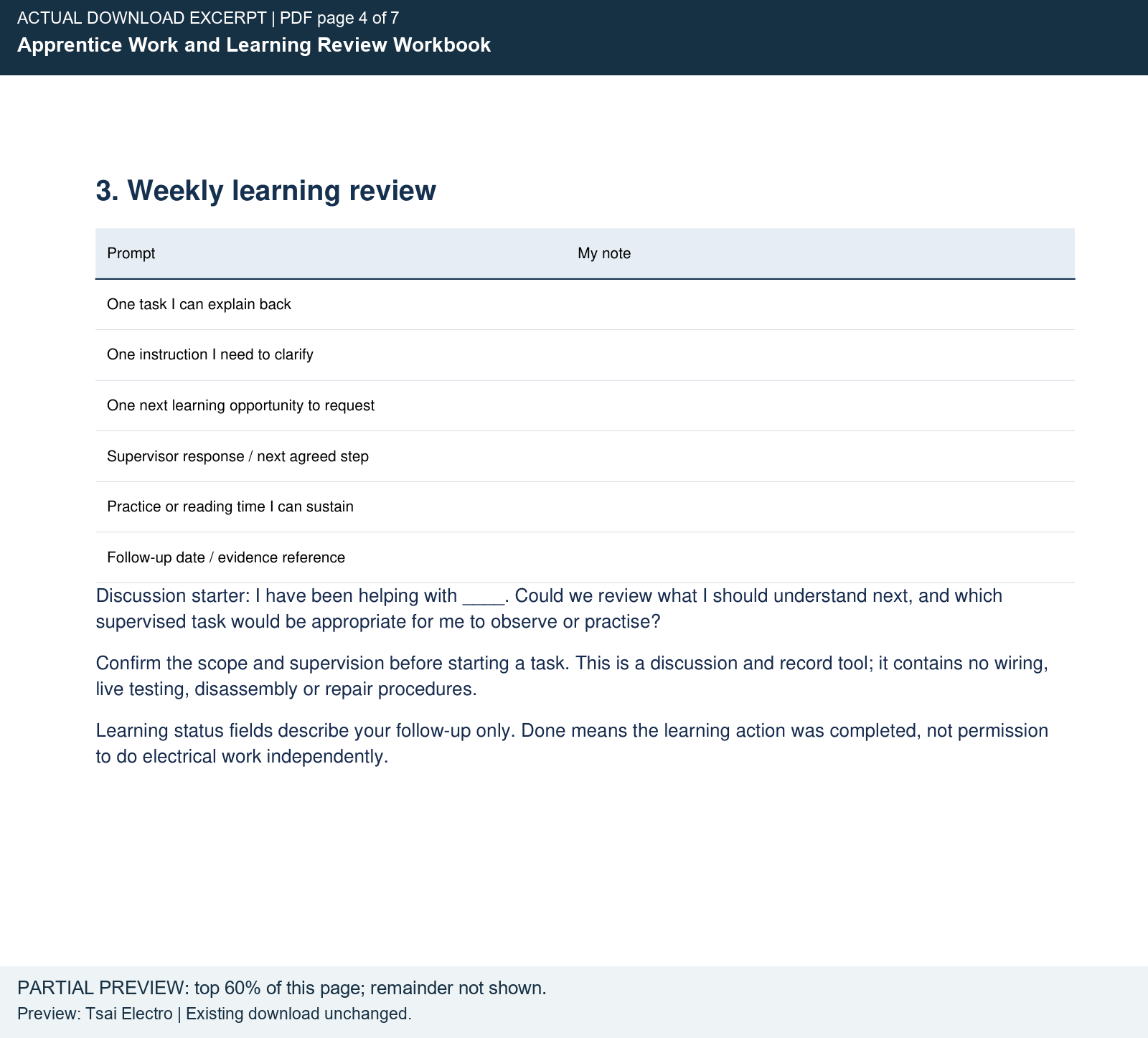
See the second excerpt
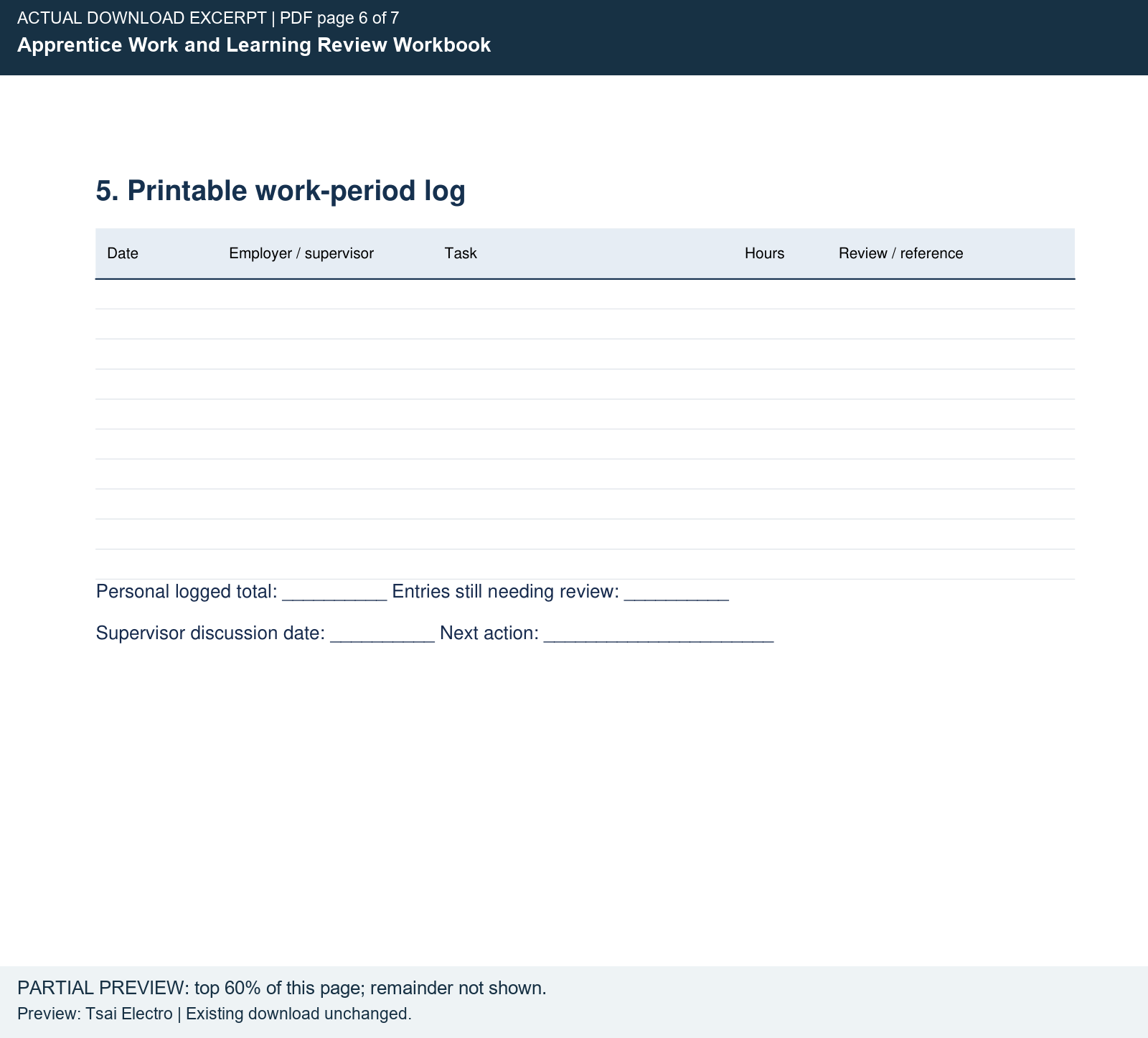
Sold separately.
Members get the U1 step 12 monthly review in their steps; the workbook is a one-time purchase.
Keep the evidence while the work is fresh
Apprentice Work and Learning Review Workbook
Keep a personal work record and turn a weekly review into a clear request for your next learning opportunity.
Download the PDF and editable XLSX. Keep your own copy.
What you get
- A 100-entry personal hours log with separate logged and reviewed totals
- A supervisor reference sheet and a ten-item learning follow-up register
- Printable weekly review and employer-change handover sheets
How to use it
Keep one row per work period. Record hours and a brief non-confidential task description. Ask your supervisor to review your personal entry and store a reference to any written response. A Reviewed status records that discussion only. For licensing, use TDLR and the current official experience verification process.
Practise a clear task update
Use the weekly review and learning follow-up fields you already have. The prompts below are for a paper discussion or a private note. They do not add a new download, a supervisor service or a work permission.
1. Repeat the task back
Before an assigned task, ask the qualified person supervising you to confirm what you understood: “My understanding is ____. The agreed scope is ____. The limit or question I still need clarified is ____. Who should I report to, and when should I check back?” Leave an unanswered question open. A completed note does not confirm that someone has approved the task.
Keep a short, non-confidential summary in Work log: Task / scope note. Use the PDF weekly prompt One task I can explain back and One instruction I need to clarify to prepare for that conversation. Record only the reply you actually receive.
2. Separate progress from a blocker
A useful update says what is recorded as complete, what remains, what is uncertain and what decision you need: “As of ____, I have recorded ____. Still pending: ____. The question blocking the next step is ____. Could the qualified person supervising me clarify ____? Next agreed check-in: ____.” If no check-in is agreed, write not yet agreed.
In Work log, put the factual summary in Task / scope note, the request in Next action and a private note filename in Evidence reference. Do not count a reported task as reviewed or count a personal hours total as approved experience credit.
3. Record feedback without inventing agreement
In Learning, use Learning need for the question, Request to supervisor for what you asked, Response / next step for the actual feedback and Follow-up date for the agreed date. Use Evidence reference for your own private note. If there is no response, write awaiting response and keep Status open. A Reviewed entry records a discussion only; Done describes the learning follow-up only. Neither is a licence, hiring decision, verified experience credit or permission to work independently.
4. Escalate an unresolved question
If the scope, supervision or safety boundary is unclear, stop the affected activity and ask the qualified person supervising you for clarification. State what you do not understand, which activity is paused and what decision you need. Keep the question open while waiting. This page gives no electrical testing, wiring, disassembly or rescue procedure and does not determine when work may resume.
A private note can say: “Question raised at ____. Activity paused: ____. I asked ____ (supervisor code) to clarify ____. Response: awaiting response. Follow-up: not yet agreed.” Keep client names, exact jobsite addresses, access codes and confidential plans out of the workbook.
A blank note to reuse
- Date and supervisor code
- ____
- My repeat-back and remaining scope question
- ____
- Recorded progress / still pending
- ____ / ____
- Question raised / activity paused, if applicable
- ____ / ____
- Request to the qualified person supervising me
- ____
- Actual response, or awaiting response
- ____
- Next agreed step and follow-up date, or not yet agreed
- ____
- Private evidence reference
- ____
Example: a paper task update
Example. A paper exercise asks you to list the workbook headings. You have listed two headings, but the requested order is unclear. A draft update could be: “I have listed two headings on the practice sheet. The order is not yet clear to me. My understanding is that I should list the remaining headings, but I need the order confirmed. Could we clarify that before I continue? Response: awaiting response. Next check-in: not yet agreed.” This is an invented classroom note, with no observed job outcome or supervisor reply.
Check your note: Does it separate recorded progress, the open question, the request and the unanswered reply? A response or approval must stay unrecorded until it actually happens. Put the request in Learning: Request to supervisor; leave the response as awaiting response and status open.
Example: a missing feedback detail
Example. On a practice worksheet, the learner’s own note says “feedback received” but contains no reply or agreed date. Rewrite it as: “My note does not contain the actual feedback. I need to ask for clarification and record the reply when received. Response: awaiting response. Follow-up: not yet agreed.” Do not fabricate the missing words or mark the action Done.
Save your note with your own workbook copy and keep a dated backup after review. These page prompts have no account connection or automatic saving. Use your existing PDF, XLSX and quick start alongside the prompts.
Already own a kit?
Extend the First-Year Kit’s printable start plan with a reusable 100-entry numeric hours ledger, separate discussion-review status, a supervisor reference and a linked learning review. Keep ongoing personal records and follow-up questions together while using the current official process for licensing evidence.
Membership and downloads
One-time download, sold separately.
File details
Includes a PDF, an editable XLSX and a short start guide. Open the workbook in a desktop application supporting its XLSX formulas and validation lists, save a copy, then start from the blank sheets. Example data are clearly labelled. Personal-use licence: edit and print your copy; do not redistribute or resell.
Practice with feedback on your computer
An additional offline companion is now included at the same US$12 price. Six evidence-to-learning decisions and a private review completeness check linking observation, feedback and the next learning request.
- 6 items with explanations and a wrong, unsure or needs-review queue. Your selections or numeric answers receive immediate feedback.
- Keep your own correction notes and export a private session file. Import that file later to resume this product’s practice.
- A topic-specific planning or record-check tool includes a separate example.
Download apprentice-work-learning-review-workbook-offline-companion.zip, extract the ZIP and open START-HERE.html in a current desktop browser. Work offline after downloading. Export your private session before closing or reloading to keep your answers, then import the backup when you return. Keep and transfer the exported file yourself when moving between devices.
Use the included PDF, templates and sample pages alongside the companion. Review the explanations, keep a note of the first uncertain step and return to it on another attempt. For planning figures, use your own inputs and confirm actual requirements with the responsible employer, program or authority.
Verified buyer reviews
Only people who bought this exact product can review it. Every review is shown as written, including negative ones. Nobody is paid or rewarded for a review.
No reviews yet.
Only logged in customers who have purchased this product may leave a review.

Reviews
There are no reviews yet.