
On this page
Table of contents
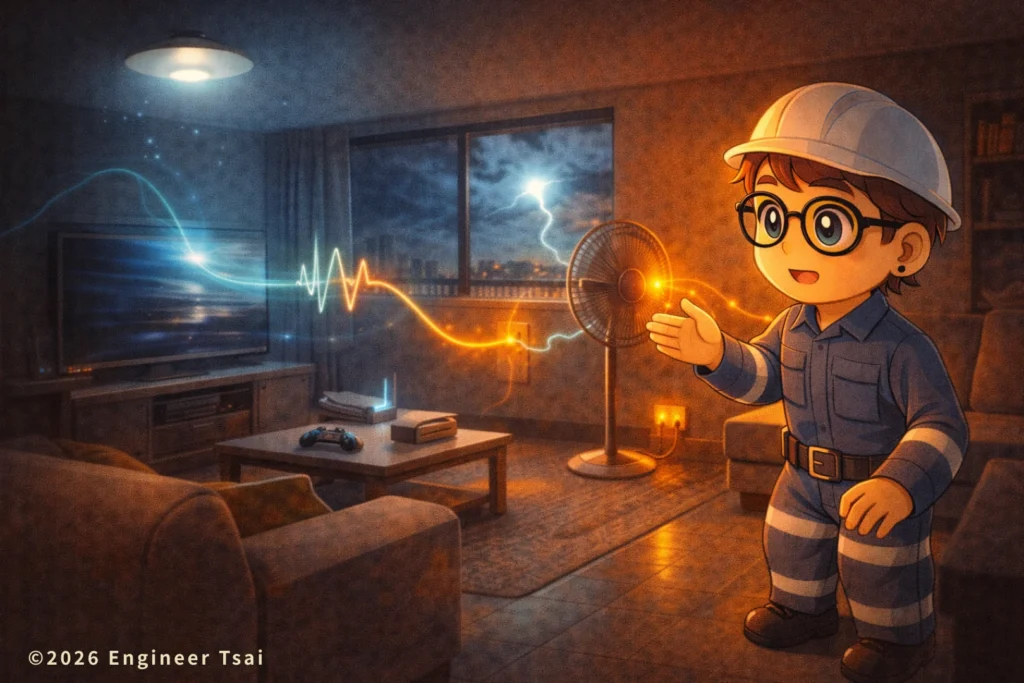
Voltage sag vs swell vs surge sounds like “stuff only instruments can measure.” But in real homes, you often feel voltage sag vs swell vs surge first—you just write it off as “power being weird today,” or assume one appliance is failing.
I’m writing this because I keep seeing the same exact storyline: lights dim for a split second, LEDs flicker twice, your router randomly reboots, a charger gets strangely hot. If you ask around, people say “the utility must be unstable,” but what you actually need is this: tell voltage sag vs swell vs surge apart—so you know whether the fix is load splitting, replacing a sketchy power strip, adding a UPS, or installing an SPD at the panel.
In this article, I’ll translate voltage sag vs swell vs surge into signals you can see, hear, and feel: what you’ll notice, what it usually means, and what to do next—safely—without turning a small issue into a risky one.
Quick, plain-English takeaway (voltage sag vs swell vs surge):
Lights dimming / a screen blinking is most often a voltage sag; lights suddenly getting brighter or certain devices running unusually hot can point to a voltage swell; and thunderstorms, a loud “pop” after big loads switch, or random router/TV reboots often involve a surge (transient).
You don’t need IEC documents or waveform graphs to start. Just remember this mental model for voltage sag vs swell vs surge: sag = “not enough muscle for a moment,” swell = “too much muscle for a moment,” surge = “a needle-like spike.” Same “something’s off” feeling—totally different risks and fixes.
If you want a stronger intuition for voltage/current/power (so the rest reads smoother), start here:
🔹 “Electricity Basics (Quick Guide): from ‘what is electricity?’ to reading your home panel”
▶️ Watch now: 60 seconds to understand voltage sag vs swell vs surge (by what you see)
Let the visuals run once: how lights dim, how LEDs “blink,” why routers reboot, and what that “one hit” during a storm is really doing. Watch first, then read—terms won’t feel sticky, and voltage sag vs swell vs surge will click faster.
Chapter 1 — Voltage sag vs swell vs surge: what do you actually notice at home? Match these 6 real-life symptoms
You don’t need a multimeter. A lot of power quality events—especially voltage sag vs swell vs surge—show up in very everyday ways. If you connect the symptom to the moment it happens, you can usually tell what category you’re dealing with.
- Symptom 1 — Lights “dim for a split second” or “blink once”: the most common voltage sag sign. LEDs are extra sensitive, so it can look like your lights are “winking.”
- Symptom 2 — TV, router, streaming box randomly reboots: either the sag dips too deep, or a surge triggers the power supply’s protection—so the device resets like it was unplugged.
- Symptom 3 — Chargers get hot; transformers “hiss” or “buzz”: not always a failure, but if it consistently lines up with certain times or when specific equipment switches, suspect swell, transients, or a poor connection.
- Symptom 4 — A power strip/plug/outlet plate feels unusually warm: could be high load, but it can also be rising contact resistance creating heat. It often gets misread as “unstable power,” but the real danger is heating at the connection point.
- Symptom 5 — “The whole house flinches” right when something starts: AC compressor, well/booster pump, fridge compressor—classic. This is the textbook “motor inrush current → voltage sag” moment.
- Symptom 6 — Worse during thunderstorms: a pop, a trip, or a device suddenly dies: lightning doesn’t have to hit your house. It can inject high-energy transients onto lines—this is the most common stage for surges.
If you’re stuck on “should I worry?” here’s a more useful filter for voltage sag vs swell vs surge: voltage sag usually causes inconvenience (reboots, flickers). Surges are more about damage (shortened lifespan, sacrificial protectors failing). And heat at plugs/outlets is the “this can become a fire hazard” category—highest priority.
Safety note: if you smell something burning, see outlet discoloration, or a plug/power strip is clearly heating up—don’t “try plugging it in again.” That’s often not “power being weird.” That can be “a connection is cooking.”
Chapter 2 — Don’t memorize terms: one table to understand sag vs swell vs surge in 30 seconds
Just track three things: direction (lower/higher), time scale (very brief/brief/longer), and energy (will it damage devices?). That’s enough to separate voltage sag vs swell vs surge in real life.
| Event | What you notice | Most common causes | Most sensitive devices | Typical protection |
|---|---|---|---|---|
| Voltage sag (Voltage sag / dip) | Lights dim, LEDs blink, router reboots | Motor starts (AC/pump), big load switching, momentary drop on the circuit | PCs/network gear, some power supplies, controllers | UPS, split high-power loads onto different circuits |
| Voltage swell (Voltage swell) | Lights get brighter, some devices run hotter, bulbs die sooner | Big load turns off, neutral/terminal connection issues, supply switching | Lighting/drivers, transformer-type loads | Fix wiring/terminations, SPD, (if needed) voltage regulation |
| Surge (Surge / transient) | Storm “hit,” random freezes/reboots, surge protector indicator fails | Lightning, switching events, inductive load interruption transients | Electronics (TV/router/NAS), control boards | SPD (surge protective device), layered protection (panel + point-of-use) |
Notice the pattern: voltage sag vs swell vs surge can be simplified to “not enough / too much / needle spike.” Surges are ultra-short but can carry nasty energy—often the reason electronics “mysteriously die later.”
One common misconception in voltage sag vs swell vs surge: people see “surge protection” and assume it also solves voltage sag. In reality, most protectors are mainly designed for surges (spikes). If your problem is reboots from sag, a UPS or load splitting is usually what actually helps.
Chapter 3 — Why do voltage dips, brightening, and spikes happen? 7 common home causes
Put simply: your electrical system is not “perfect 120V/240V forever.” It’s a constant tug-of-war of loads starting, stopping, and switching—so events like voltage sag vs swell vs surge are common in real homes.
Think of your home wiring like a road. When a heavy truck (a big load) suddenly accelerates or suddenly brakes, the whole road flow shifts. In power terms: starting a big load looks more like a voltage sag; shutting off/switching can show up as a voltage swell; and storm-time or heavy switching can create sharp surges. That’s the core story of voltage sag vs swell vs surge.
- Cause 1 — AC compressor / pump motor start: inrush current hits hard and often causes a voltage sag (your lights dim briefly).
- Cause 2 — Elevator / booster pump / shared building load switching: even if you didn’t turn anything on, your neighbors or the building system switching can affect you (sag or swell).
- Cause 3 — Too many high-watt appliances on one circuit: air fryer + kettle + space heater together can create ongoing drop and heating at terminals—feels like “constant sag.”
- Cause 4 — Loose outlets, poor-quality power strips, rising contact resistance: you think it’s “unstable utility power,” but a lot of “weird behavior” is actually local voltage drop and heat at a bad connection.
- Cause 5 — Thunderstorms and line transients: not a direct strike—energy can travel along wiring and show up as a surge.
- Cause 6 — Neutral/termination issues (more common in older wiring): a loose neutral can create “bright/dim” behavior that feels like swell/sag—this deserves extra caution.
- Cause 7 — Utility switching, construction work, or neighborhood load changes: if it happens more at certain times, it can be linked to upstream switching or local load patterns.
If your home often has “same circuit” overload/trip/voltage-drop drama, this pairs well:
🔹 “Why the same circuit keeps tripping: common scenarios + wattage and protection logic”
Chapter 4 — Which devices are most sensitive? If it feels “off,” you’re probably not imagining it
With the same voltage sag, one device stays fine while another reboots. With the same surge, one appliance survives while another dies. Understanding voltage sag vs swell vs surge helps you prioritize what to protect first.
Most sensitive (reboot-prone) devices: routers, Wi-Fi access points, NAS, DVR/NVR systems, PCs, streaming boxes, smart home hubs, some LED drivers, and anything that needs “continuous power” (for example, aquarium pumps/circulation systems). These are the first to show sag as resets.
Devices that get mentally exhausting when surges hit: TVs, streaming devices, network gear, chargers (quality matters), and anything with a control board. The scary part of surges is that they don’t always “blow up” instantly—they can weaken parts and fail later.
And “it’s hot” splits into two categories: power supplies often run warm (normal). But if one specific point—plug blades, outlet face, a single socket on a strip—gets locally hot, that’s more like poor contact or overload heating. That local heating can accompany “sag-like” symptoms, but the real risk is contact carbonization that eventually becomes smoke.
If you need a priority list: heat/burning smell > repeated tripping > device reboots > one-time flicker. In other words: some voltage sag vs swell vs surge issues are annoying, but heat means you should escalate immediately.
Chapter 5 — Safe checks you can do yourself (no panel work)
This section is the “safe for regular people” version: no high-voltage measuring, no opening covers. Do these and you can narrow the problem down—without pushing yourself into danger. It’s the practical side of voltage sag vs swell vs surge.
(1) Record the “trigger moment”
Does it happen exactly when the AC starts? At the same time every day? Mostly during storms? Once you catch the timing, you cut the possibilities from “everything” to “a few likely causes.”
(2) Do a simple load-splitting test
Move the biggest draw device (space heater / air fryer / kettle / hair dryer) to an outlet you know is on a different circuit. If dimming/flicker/lag improves, you’re likely dealing with circuit drop, overload, or a weak connection. This is especially useful for voltage sag.
(3) Check “fit” and “temperature”
If a plug feels loose, wiggles, or a power strip socket only works when you “angle it just right,” treat that as a high-risk signal. Add noticeable warmth (or hot) at one point? Stop using that set.
(4) Keep your “expensive / always-on” devices on a clean power area (optional)
If you have a NAS, NVR, router, or streaming box—anything that hurts when it reboots—don’t let it share the same strip with a hair dryer or kettle. Just separating loads often reduces “sag reboots” by a lot.
(5) Use a device with event logging as evidence (optional)
Some UPS units or power monitors log events. You don’t need millisecond accuracy—knowing “did an event happen, and how often?” is enough to decide whether SPD/UPS is worth it.
(6) If you’re also dealing with “tripping,” separate overload vs short vs ground fault first
People often mix “lights dim” with “breaker tripped,” but the fix path is totally different. Use this guide to build the correct intuition first:
🔹 “Breaker label quick-read: what 20A and trip curves really mean (don’t ‘just upsize amps’)”
Chapter 6 — How to protect your home: from power strips to SPD/UPS, use 3 layers by risk
You don’t need to buy everything at once. The cleanest approach is a 3-layer strategy—cheap first, effective first, and you’ll always know what each layer is solving in voltage sag vs swell vs surge.
Layer 1 — Eliminate hot connections first
Retire loose adapters, bargain power strips, and any outlet set with poor contact. A lot of people think they’re “surge-proofing,” but the real hazard is often the contact resistance heating point.
Layer 2 — Surges: use layered SPD protection (panel + point-of-use)
If you get frequent storms, nearby construction, or you run expensive electronics (TV/NAS/networking), an SPD is a smart investment. The idea: stop big energy at the panel first, then clamp the leftover at the outlet. This layer is mainly for surges.
Layer 3 — Voltage sag: put “can’t reboot” devices on a UPS
For routers/NAS/NVR—things that are painful to reset—what helps most isn’t “lightning protection,” it’s preventing voltage sag resets. A UPS bridges that moment and keeps systems stable.
If you only want to do one high-impact step that’s hard to mess up: separate “network/always-on gear” from “high-watt appliances.” Don’t put your router/NAS/NVR on the same strip as a hair dryer, kettle, or air fryer. For a lot of people, this alone fixes half of their sag-related reboot frustration—and it’s the fastest win in voltage sag vs swell vs surge.
If you want to understand grounding and protection paths before buying protection gear, read this alongside:
🔹 “Outlet holes & grounding: neutral vs ground in 3 minutes (avoid wiring mistakes)”
Chapter 7 — Stop immediately if you see these (not “weird,” actually dangerous)
If any of the following show up, I’d tell you: stop using it, shut power off if needed, and get a qualified electrician involved. These are often more dangerous than “power flickered once.”
- Outlet/plug/power strip is clearly hot, discolored, or smells burnt
- Crackling sounds or visible sparks (especially while plugging/unplugging)
- An outlet only works if you “wiggle the plug”
- You feel tingling on a device case, or it gets worse in damp areas
- A breaker keeps tripping, and trips immediately after you reset it
One sentence: you can tolerate inconvenience, but don’t “push through” and trade it for risk.
FAQ — Voltage sag / swell / surge (common questions)
Q1: Between voltage sag, voltage swell, and surge, which one is most common at home?
A: By everyday “what you notice” in homes, the most common is voltage sag (lights dim briefly, LEDs blink, router reboots), often tied to AC compressors or pump motors starting. Surges are most common during thunderstorms or major switching events, and they’re more likely to damage electronics. If you’re comparing voltage sag vs swell vs surge, sag shows up most often as flicker and resets.
Q2: If my lights dim for a split second, does that mean the utility has a problem?
A: Not necessarily. The most common cause is a nearby or same-circuit big load starting, creating a momentary drop (voltage sag). First check whether it happens right when a specific device starts. If yes, prioritize load splitting, circuit loading, and checking for hot/loose connections. That’s usually the fastest real-world fix when learning voltage sag vs swell vs surge.
Q3: Do surges only happen when lightning strikes?
A: No. Lightning is a big source, but large load switching, inductive load interruptions, and some distribution switching can also create transients (surges). You might not feel it, but it can show up as random device freezes/reboots or a surge protector’s indicator failing. In voltage sag vs swell vs surge terms, surge is the “needle-like spike.”
Q4: Is a “surge-protected” power strip enough?
A: It depends on your goal. Point-of-use protection helps with smaller surges. If you have frequent storms, nearby switching, or expensive electronics, consider layered protection: an SPD at the electrical panel first, plus point-of-use protection for sensitive gear. That layered approach targets the surge part of voltage sag vs swell vs surge.
Q5: My router reboots a lot—should I buy a UPS first?
A: If the reboot lines up with lights dimming, that’s often voltage sag—and a UPS helps a lot (it bridges that moment). But don’t ignore loose outlets, low-quality power strips, or too much high-watt load on the same circuit. Do load splitting and connection checks first, then size the UPS more accurately. That sequence is the practical order for voltage sag vs swell vs surge troubleshooting.
Q6: When should I definitely call an electrician?
A: If you see burning smell, heat, discoloration, sparks, tingling on device cases, or a breaker that trips immediately after reset—stop and call a qualified electrician. Those signs are often not just sag/swell/surge, but overheating connections or wiring faults.
📌 Recommended reading
🔹“Electricity Basics (Quick Guide): from ‘what is electricity?’ to reading your home panel”
Build your intuition for voltage/current/power—so “lights dim once” instantly makes sense when comparing voltage sag vs swell vs surge.
🔹“Why the same circuit keeps tripping: common scenarios + wattage and protection logic”
A lot of “sag feelings” are really concentrated loads on one circuit—learning load splitting saves money.
🔹“Breaker label quick-read: what 20A and trip curves really mean”
If you also have breaker trips, separate overload vs short first so you don’t mix two different problems.
🔹“Outlet holes & grounding: neutral vs ground in 3 minutes”
Before buying protection gear (SPD/protectors/grounding), align your grounding logic for safety.
External references
- National Laws & Regulations Database — Electrical Installation Rules (official text)
- U.S. CPSC — Electrical safety guide
- NFPA — Home electrical safety (fire prevention)
—
If there’s one thing I want this article to do for you, it’s this: you don’t need lab tools to sort risk into layers. What are you seeing right now—lights dim once, LED flicker, router reboots, or a warm/hot plug?
Leave a comment with when it happens (AC starts / storm day / a specific time) + what devices are running, and I’ll use the matching method above to tell you whether it’s more like voltage sag vs swell vs surge—and what the safest next step is.
Read next in this topic
- What Is a Short Circuit? 7 Things Every Homeowner Should Know
- Smart Home Energy Management: A Simple Starter Guide for Safer, Cheaper Power at Home
- What Is Electrical Grounding? A Simple Guide to Safer Power at Home
- How to Choose Home Lighting: A Practical Guide from an Engineer Who Learned the Hard Way
- Home Electrical Safety: Turning Off Your Main Breaker Made Simple
- Home Electrical Safety and Power Outage Preparedness: A Practical Guide for U.S. Households
- What to Do When Your Breaker Keeps Tripping at Home
- How to Avoid Electrical Fires When Using Smart Outlets at Home
- From Power Outages to Food Shortages: Hurricane Prep Made Simple
- 6 Common Signs of Electrical Problems in Your Home (And What to Do First)
- Loose Electrical Outlet? Here’s How to Repair It Safely
- Top Mistakes in Home Electrical Setup (and How to Fix Them)
- Do Home Wires Really Wear Out? The Truth About Old House Wiring In The U.S.
- How to Weatherproof Your Home: Windows and Doors Made Easy
- Static Shock in Winter? 5 Causes + 5 Fixes (Home + Clothes)
- Electric Meter Reading Explained (5-Step Guide): What kWh Really Means on Your Bill
- Home Electrical Safety in the AI Era: From Short Circuits to Old Wiring (and Your First 0–3 Months as an Electrician)
- How to Choose an Extension Cord Safely: 5 Rules to Prevent Overheating
- Home Electrical Panel and Outlet Guide: How to Plan Safer Circuits for Your Home
- Same Breaker Keeps Tripping? 7 Real Reasons (Wattage, Inrush, Loose Connections)

