
On this page
Table of contents
If you’re still trying to figure out “how does electricity actually work?”, I recommend starting with this foundation article:
🔹 “Electricity basics lazy guide: from ‘what is electricity?’ to understanding your home panel”
Once that picture is clear, learning wireless communication basics like carrier waves and modulation becomes much easier – you won’t get drowned in jargon.
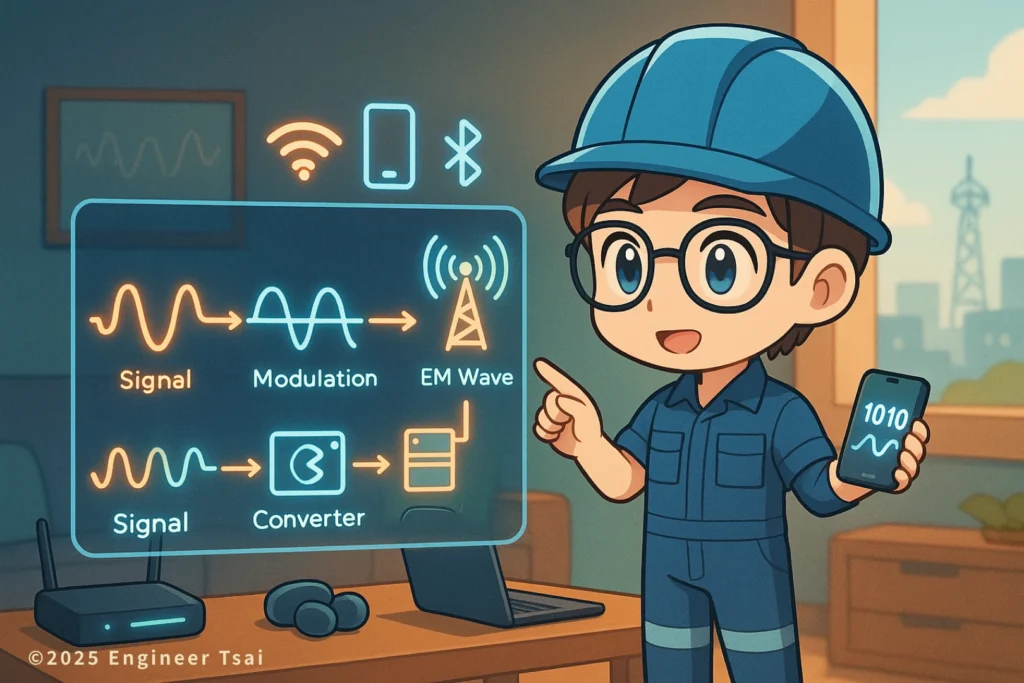
Wireless communication basics help you understand how signals actually travel through the air — using carrier waves, modulation, and encoded data.
Wireless communication and modulation sounds intimidating, but the Wi-Fi, cell signal, and Bluetooth earbuds you use every day all rely on the same idea: pack data into a radio wave, send it through the air, and let the receiver unpack it again.
So how can your phone, Wi-Fi, and Bluetooth “talk” to each other with no visible cables?
This article is the first part of the “Wireless” series. We’ll focus on one core question:
Wireless (1): how do we pack a signal into a radio wave (carrier wave and modulation)?
▶️ Watch now: how does a wireless signal get into a radio wave? One diagram to see carrier waves and modulation
In modern cities you’re basically surrounded by “wireless” all the time:
scrolling Instagram on the subway, sending files over café Wi-Fi, using a Bluetooth remote with your TV box in the living room, or coming home and having your phone auto-connect to your router.
If you finish the video and still have questions like “what exactly is a carrier wave?”, “what does modulation actually change?”, “how is Wi-Fi different from radio?” – this article is your deeper dive.
We’ll use simple, everyday examples to help you really understand this first building block of wireless communication basics: carrier waves and modulation. In later parts of the series (“Wireless 2, Wireless 3…”) we’ll move on to antennas, signal strength, interference, bandwidth, and other real-world details.
Chapter 1|What does “wireless” actually mean? Start with everyday life
Let’s clear up one common misunderstanding first: “wireless” doesn’t mean “no electricity”, and it doesn’t mean “no wiring” at all.
What it really means is something like this:
in the “through the air” part, there are no physical cables. That segment is handled by radio waves instead.
Inside your devices you still have PCBs, ICs, power modules – all the usual electronics. It’s just the link between devices that gets handed off to radio waves.
Think about a few everyday situations:
- At a coffee shop, you join the Wi-Fi. There’s no Ethernet cable between your phone and the router – everything rides on 2.4 GHz or 5 GHz radio waves in the air.
- On the bus, you’re watching YouTube. The video reaches you through 4G/5G cell towers, again using radio waves to get from the tower to your phone.
- In your living room, a Bluetooth speaker plays music from your phone. The audio is compressed, modulated, and packed into a short-range wireless link.
Behind all of these there’s one shared keyword: electromagnetic waves.
You can picture an electromagnetic wave as an invisible wave traveling through space – like ocean waves, but you can’t see them. In engineering, we describe them by a few key parameters: frequency (how many cycles per second), amplitude (how “tall” the wave is), and phase (where we are in the wave’s cycle right now).
So the job of wireless communication systems – and the heart of wireless communication basics – is this:
find a way to pack what we actually care about – voice, video, data – into that wave, let it travel through the air, and then unpack it again on the receiving side.
That’s the heart of this article: carrier waves and modulation.
Chapter 2|What is a carrier wave? Every wireless system starts by picking a wave
Let’s start with the “carrier wave”. The name is very literal: it’s the wave that carries your information.
So you can think of a carrier wave like this:
Carrier wave = a “clean” reference radio wave that carries your signal.
Mathematically, we usually pick a clean, regular sine wave (for example 100 MHz or 2.4 GHz) as the carrier, because it:
- Has a fixed frequency and clean shape → easier to analyze and to design filters for
- Can be described very precisely with equations → convenient for communication system design
- Looks like a sharp spike in the frequency spectrum → easy to pick out among other signals
A simple everyday analogy helps:
- The carrier wave is like a bus that always runs on a fixed route and schedule. Every wireless system first decides which bus line (which frequency) it’s going to use, then figures out how to load passengers (your data) onto that bus.
- What you really care about is who gets on and off the bus and in what order. In communication terms, that’s: how do I imprint my information onto this wave?
In real life, when you listen to radio, watch TV, or use your phone, you’re just riding on different “bus lines” – different carrier waves:
- FM radio: a slice of spectrum around 88–108 MHz
- Wi-Fi: common bands around 2.4 GHz, 5 GHz, and 6 GHz
- 4G/5G cell networks: different GHz bands licensed to different carriers (Verizon, AT&T, T-Mobile, etc.)
Before any system goes live, it has to answer one basic question:
“Which frequency band will we use as our carrier?”
Once that’s decided, we can move on to the next step:
How do we “write” information onto that carrier wave? → that’s modulation.
Chapter 3|What is modulation? How we pack voice and video into radio waves
Once you understand carrier waves, it’s time for the main character of this article: modulation.
Here’s the one-sentence version:
Modulation = changing certain properties of the carrier wave according to the signal you want to send.
Those properties can be the carrier’s amplitude (how tall the wave is), frequency (how fast it wiggles), or phase (which angle of the cycle it’s at right now).
3-1|Starting with AM and FM: changing height or speed to carry voice
The classic examples are AM and FM radio:
- AM (Amplitude Modulation): change the height of the carrier wave according to the loudness of the audio. Louder voice → taller wave; softer voice → shorter wave.
- FM (Frequency Modulation): change the instantaneous frequency of the carrier. The audio makes the carrier wiggle a bit faster or a bit slower around its center frequency.
You can imagine it like this:
- AM is like driving at a fixed average speed, but using how hard you step on the gas (how strongly you accelerate or brake) to encode information.
- FM is like using your actual speed changes to encode information – sometimes you drive a bit faster, sometimes a bit slower.
Both of these are still in the world of analog modulation, where the audio itself is a continuous waveform and directly shapes the carrier.
3-2|Welcome to the digital world: ASK, FSK, PSK and QAM
Modern wireless systems (Wi-Fi, 4G/5G, Bluetooth) are almost all digital modulation. What we send is no longer a smooth analog voice waveform – it’s a stream of 0s and 1s.
The idea is still the same, but instead of “continuously changing the carrier”, we use different carrier states to represent different bit patterns (0, 1, or even 00, 01, 10, 11):
- ASK (Amplitude Shift Keying): different amplitudes represent different digital values.
- FSK (Frequency Shift Keying): different frequencies represent 0 and 1.
- PSK (Phase Shift Keying): different phase angles represent 0 and 1.
- QAM (Quadrature Amplitude Modulation): change both amplitude and phase at the same time, so each “point” can represent multiple bits.
You can picture QAM as a bunch of points on a 2D plane. Each point corresponds to a unique combination of amplitude and phase:
- The more points you have → the more bits each point can represent → the more data you can send in the same amount of time (higher data rate).
- But the more tightly packed the points are → the easier it is for noise to confuse them → you need better SNR and channel quality.
That’s why on the same Wi-Fi network, sometimes your device says “connected” but the speed feels slow: the system is automatically switching to a simpler, more robust modulation scheme when the signal quality isn’t great.
3-3|Key trade-offs: bandwidth, data rate, and reliability
In wireless communication, you never get a free upgrade in modulation. There’s always a trade-off between three things:
- Bandwidth: how much spectrum you occupy.
- Data rate: how many bits you can send per second.
- Reliability (error rate): how often bits get corrupted in a noisy environment.
The job of modulation design is to find a balance between these three: don’t burn too much bandwidth, keep the speed as high as possible, and still survive in a noisy, real-world channel. When we talk later about coding, error correction, and protocols, we’ll hook everything back to these same trade-offs that sit at the core of wireless communication basics.
Chapter 4|Wireless in everyday life: Wi-Fi, cell networks, Bluetooth are all “playing with modulation”
Now that we’ve spent some time with carrier waves and modulation, let’s connect them back to wireless communication basics by looking at three of the wireless systems you see every day: Wi-Fi, cellular networks, and Bluetooth.
The detailed specs for each standard are different, but the underlying pattern is very similar:
- Wi-Fi: choose a slice of spectrum in the 2.4/5/6 GHz bands as the carrier → use OFDM + QAM and other digital modulation schemes to send packets in chunks → automatically switch modulation order and data rate based on signal quality.
- 4G/5G cellular: more complex spectrum allocation, time slots, and multiple-access schemes – but still the same core idea: pick a set of carriers, modulate data onto them, and let base stations coordinate who gets to talk when.
- Bluetooth: optimized for short range and low power. To save energy, its modulation and hopping schemes are simpler and more resource-efficient.
If you only remember one sentence from this article, make it this:
Every “wireless” system you use – Wi-Fi, 5G, Bluetooth, satellite – is doing the same thing: pick one (or many) carrier waves, then use some modulation scheme to pack your information into radio waves.
This first part focused on how we pack the signal. In the next article, we’ll talk about what happens while that radio wave is flying through the air: path loss, reflections, multipath, and the role antennas play in all of this.
Conclusion|Wireless communication isn’t magic – it’s just smart packaging for radio waves
For many people, the first impression of wireless communication is: “I can’t see any wires, so it feels a bit magical.” But once you break it down, it’s really just a combination of concepts you’ve already seen in basic electricity and circuits:
- Electromagnetic waves: waves that can travel through space, characterized by frequency, amplitude, and phase.
- Carrier wave: the reference radio wave we choose to carry our information.
- Modulation: changing certain properties of that carrier based on the information we want to send, so the receiver can reconstruct the original signal.
The only difference in modern life is that these principles are all hidden inside tiny ICs and chips, plus one antenna, and that’s what becomes the phone in your pocket, the Wi-Fi router on your desk, or the Bluetooth earbuds in your ears.
Whether you’re an EE/CS student, thinking about moving into communication or RF engineering, or just curious about how “wireless works without any cables”, I hope this first article on Wireless (1): carrier waves and modulation gives you a clear mental framework for wireless communication basics.
Next time you see acronyms like “QAM”, “OFDM”, “subcarriers”, or “multiple access”, you won’t just see a wall of jargon. You’ll know they’re all really asking the same question:
“How can we pack information into radio waves more efficiently and more reliably?”
📌 Further reading
🔹“Electricity basics lazy guide: from ‘what is electricity?’ to understanding your home panel”
No matter how advanced wireless looks, it still sits on top of voltage, current, impedance, and other fundamentals. Get those basics solid and carrier waves/modulation will feel much more intuitive.
🔹“What is an electric motor? From electricity to motion”
The core ideas of waveforms, phase, and three-phase power that appear in motor control are closely related to the sine waves and phase modulation we use in wireless. Reading this gives you extra “engineering intuition” for today’s topic.
🔹“What is a VFD (variable-frequency drive)? How does it control a motor?”
A VFD controls motors by shaping voltage, frequency, and PWM – conceptually very similar to how wireless systems use waveforms to carry information. After this article, come back to carrier waves and modulation and you’ll see another layer of connection.
For a more complete comparison of modulation methods, you can check the “Modulation” article on Wikipedia.
If you’d like to see the math and spectrum diagrams behind AM and FM, this AM introduction on Electronics-Notes is a good starting point.
Wireless communication FAQ
Q1: Is wireless communication basically just Wi-Fi?
A: No. Wi-Fi is just one wireless standard, mainly for short-range data inside homes, offices, cafés, etc. Other systems like 4G/5G, Bluetooth, satellite communication, and NFC access cards are also wireless. What they all share is this: they pick a frequency band as a “carrier”, then use some modulation scheme to pack data into radio waves. The distance, power levels, protocols, and modulation details are what differ. Once you understand wireless communication basics, Wi-Fi becomes just one familiar example inside a much bigger picture.
Q2: Is the carrier wave just the frequency? Why does everyone talk about bands?
A: You can loosely say “the carrier is the radio wave at the frequency you choose to use.” In practice, we never use a single infinitely narrow frequency. We always occupy a small slice of spectrum – a “band”. For example, 2.4 GHz Wi-Fi occupies a chunk of spectrum around 2.4 GHz. Choosing a band involves interference, regulations (for example, FCC rules in the US), antenna design, and other practical constraints.
Q3: Does modulation affect how good the signal is?
A: Yes, a lot. Generally, higher-order modulation (like 256-QAM) can push more bits per second through the same channel, but is more sensitive to noise and distortion. Simpler schemes (like BPSK or QPSK) carry fewer bits per symbol but stay reliable under worse signal conditions. Many systems dynamically switch between modulation schemes based on current signal quality – that’s a big reason the same Wi-Fi network can feel fast sometimes and slow at other times.
Q4: Everyone talks about 2.4 GHz, 5 GHz, 6 GHz. Is a higher band always better?
A: Not always. Different bands have different physical behavior and interference patterns. 2.4 GHz tends to penetrate walls better, but the band is crowded and noisy. 5 GHz and 6 GHz usually have more available bandwidth and less interference, but are more easily blocked by walls and obstacles. Changing bands doesn’t automatically make things “better” – it depends on your scenario: do you care more about punching through apartment walls, or about maximum throughput in open spaces? Carrier choice and modulation design have to be considered together.
Q5: I’m an EE/CS person and want to get into wireless/communication. What should I learn first?
A: A practical path is: (1) Waveforms and signal processing: Fourier analysis, spectrum, sampling, filtering – so you can read waveforms and eye diagrams with confidence. (2) Modulation and coding: from AM/FM and ASK/FSK/PSK to QAM and OFDM, and how they trade off bandwidth, data rate, and reliability. (3) Real-world systems: pick one system – Wi-Fi, LTE/5G, or Bluetooth – and actually look at the protocol stack and packet structures. Once this foundation is in place, diving into RF front-end, antenna design, or higher-layer protocols becomes much easier. All of these are core parts of wireless communication basics.
—
In your daily life, which wireless system do you use the most – Wi-Fi, cell data, or Bluetooth?
What feels most “magical” to you – streaming video with no cables, or having tiny earbuds that somehow keep a stable audio link? Feel free to share your use cases or questions in the comments.
If you have friends who are curious about wireless communication but get scared off by a wall of acronyms, you can send them this article, “Wireless (1): carrier waves and modulation”, so they can start from the core ideas and turn invisible radio waves into something they can actually picture.
If this breakdown of how we pack signals into radio waves gave you a clearer picture when looking at your Wi-Fi settings, cell bars, or engineering schematics, save it. When you read Wireless (2) and (3) later, you can come back and connect the dots.
Read next in this topic
- What Is Electricity ? Everything You Need to Know
- Current & Voltage for DIY Enthusiasts : Unlock the Basics
- AC vs DC: What’s the Difference and Why It Matters (From Phone Charging to 120 V Home Power)
- Basic Parts of an Electric Circuit (Power Source, Wires, Loads)
- Conductor vs Insulator: How Your Home’s Wiring Keeps You from Getting Shocked
- Ohm’s Law Explained: V = IR for 120V Home Circuits
- What Is a Resistor? How It Works, Types, and How to Choose the Right One
- Series vs Parallel Circuits: Simple Guide for Home Wiring (With Formulas & Examples)
- How Electromagnetic Wave and Electricity Shape Modern Technology
- What Is Voltage? Simple Definition, Everyday Examples, and Safety Tips
- What Is a Battery? How It Works, Types, and Everyday Uses Explained
- What Is Ampere’s Law? A Visual Guide to How Current Creates Magnetic Fields
- What Does a Capacitor Do? Uses, Energy Storage, and Everyday Examples
- Types of Electrical Wire: How to Choose the Right One for Your Home
- How AC Power Is Converted to DC: What’s Really Inside Your Phone Charger?
- Electrical Energy Conversion: How Energy Transforms for Everyday Use
- Magnetic Field and Current: The Core Relationship Behind Motors, Generators, and Wireless Charging
- How Do Magnets Work? From Fridge Magnets to Maglev Trains
- What Is Inductance? Inductor Basics for Real-World Circuits
- What Is Impedance? A Plain-Language Guide to Resistance, Inductive Reactance, and Capacitive Reactance